How we chose the best wallets
Selecting a crypto wallet in 2026 requires looking past marketing claims to the underlying security architecture. We prioritize wallets that offer open-source firmware, offline signing capabilities, and a proven track record against common attack vectors. In this high-stakes environment, the method of key storage is the primary differentiator between a convenient tool and a secure vault.
Our evaluation process focuses on two core pillars: security integrity and multi-chain utility. Security is non-negotiable. We examine how each wallet handles private keys, whether through secure elements, seed phrase backups, or air-gapped environments. A wallet’s ability to keep keys offline while still allowing for easy transaction signing is the gold standard for hardware solutions.
Equally important is multi-chain support. As the ecosystem fragments across Ethereum, Solana, Bitcoin, and various Layer-2 networks, a fragmented experience is unacceptable. We tested wallets for their ability to manage diverse assets without requiring multiple applications. The best options, such as the Ledger Flex or Ngrave Zero, demonstrate that robust security and broad compatibility can coexist. This balance ensures that as your portfolio grows, your wallet remains a unified, secure interface rather than a bottleneck.
Best hardware wallets for cold storage
Hardware wallets keep your private keys offline, creating a physical barrier against remote hackers. For long-term holdings, this "cold" approach is the standard for security. While software wallets offer convenience for daily trading, hardware devices require physical confirmation for every transaction, ensuring that even if your computer is compromised, your funds remain safe.
Ledger Stax
The Ledger Stax is a premium option designed for users who value both security and a modern interface. It features a curved E Ink touchscreen that allows you to verify transaction details visually before signing, reducing the risk of signing malicious contracts. This model supports Bluetooth for easier mobile connectivity while maintaining a secure element chip to protect your keys.
Trezor Safe 7
For those who prioritize open-source transparency, the Trezor Safe 7 is a strong contender. It includes a built-in touchscreen for direct interaction and a secure element chip for key storage. The device is known for its robust software ecosystem, Trezor Suite, which provides a clear view of your portfolio and transaction history. It is an excellent choice for users who want a straightforward, auditable security solution.
Other Notable Picks
Beyond the Stax and Safe 7, other hardware wallets like the Tangem Card offer card-sized convenience for beginners, while the Ledger Nano X provides Bluetooth connectivity in a smaller form factor. When choosing a device, consider the specific cryptocurrencies you hold and your comfort level with the user interface.


As an Amazon Associate, we may earn from qualifying purchases.
Best software wallets for daily use
Software wallets are the primary interface for active traders and DeFi participants. Unlike hardware wallets, which prioritize cold storage, software wallets run on mobile devices and desktops to facilitate frequent transactions. They balance convenience with non-custodial control, meaning you hold your own private keys while interacting with decentralized applications.
For daily use, the priority is multi-chain support and seamless integration with dApps. Trust Wallet and Coinbase Wallet are prominent examples that support a wide range of blockchains, allowing users to swap tokens, stake assets, and bridge funds without leaving the app. Phantom has established itself as the standard for Solana and Ethereum activity, offering a streamlined experience for NFT collectors and high-frequency traders.
When choosing a software wallet, verify that it is open-source and has undergone independent security audits. Since these wallets connect directly to the blockchain, they are exposed to phishing attempts and smart contract risks. Always ensure you are downloading the official application from the developer’s verified website or the official app store.
| Wallet | Key Chains | Best For | Source |
|---|---|---|---|
| Trust Wallet | BSC, ETH, Solana | Multi-chain DeFi | Quicknode |
| Coinbase Wallet | ETH, Solana, Polygon | Coinbase users | Quicknode |
| Phantom | Solana, ETH, BTC | Solana trading | Cryptopolitan |
Hardware wallet vs software wallet
Choosing between a hardware wallet and a software wallet comes down to balancing security against convenience. Software wallets, often called "hot wallets," keep your private keys connected to the internet. This makes them ideal for daily transactions, swapping tokens on decentralized exchanges, or interacting with decentralized applications (dApps). However, that constant connectivity also exposes them to remote hacking attempts, phishing scams, and malware.
Hardware wallets, or "cold storage," are physical devices that store your private keys offline. They only connect to a computer or phone when you explicitly sign a transaction, keeping the keys isolated from internet-borne threats. This makes them the standard for long-term holding and storing significant amounts of cryptocurrency. While they offer superior security, they are less convenient for frequent trading because each transaction requires physical interaction with the device.
The choice isn't always binary. Many users employ a hybrid approach: keeping small amounts in a software wallet for daily spending and storing the bulk of their holdings in a hardware wallet. As one Bitcoin community member noted, "If you have a lot invested, consider a hardware wallet. Personally I like Trezor (hardware), or maybe Electrum (software)." This split strategy allows you to enjoy the ease of digital access without putting your entire portfolio at risk.
| Feature | Hardware Wallet | Software Wallet | Web Wallet |
|---|---|---|---|
| Security Level | High (Offline keys) | Medium (Online exposure) | Low (Third-party custody) |
| Best Use Case | Long-term holding | Daily trading | Quick dApp access |
| Cost | $50–$200+ | Free | Free |
| Internet Exposure | None until signing | Constant | Constant |
| Recovery Seed | Yes (Self-custody) | Yes (Self-custody) | No (Provider custody) |
Secure Crypto Storage Checklist
Before moving significant assets into any wallet, run through this verification sequence. A single misstep in setup can lead to irreversible loss, so treat this checklist as a non-negotiable safety net.
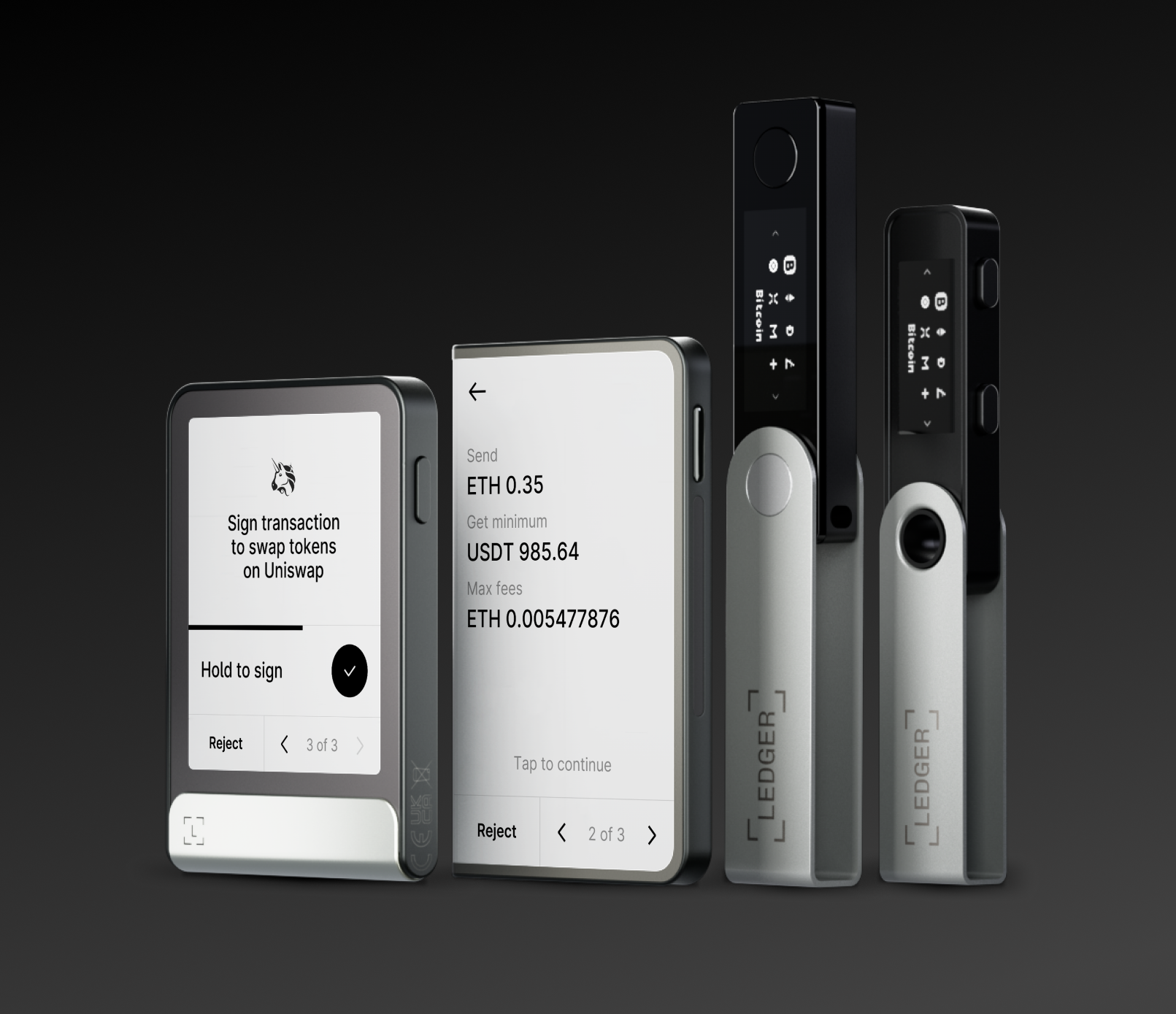
Write down your recovery phrase on paper or metal, never digitally. Ensure you have at least two physical copies stored in separate, secure locations. Never share this phrase with anyone or store it in cloud notes, emails, or screenshots.

Activate 2FA on all associated accounts, including email and exchange links. Use an authenticator app or hardware security key rather than SMS-based codes, which are vulnerable to SIM swapping attacks.
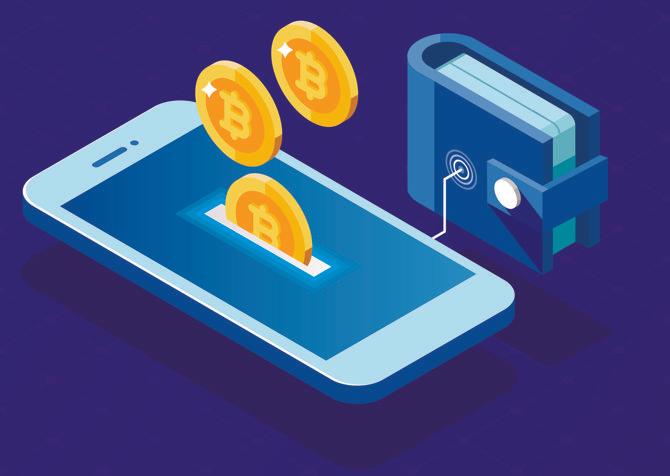
Send a minimal amount of crypto to verify that receiving works correctly. Then, send that small amount back to your main source wallet to confirm that outgoing transactions and fee calculations function as expected before committing large sums.
If your wallet supports hardware integration, ensure your firmware is updated to the latest version. Regular updates patch known vulnerabilities and improve compatibility with newer blockchain protocols.
No comments yet. Be the first to share your thoughts!